Find the best
EV charging station
Your Go-To for Easy EV Charging.


How to Sign Up
Discover how NEXUS Net-Zero simplifies your EV charging experience
Download the App
Start your journey by downloading from App Store or Google Play
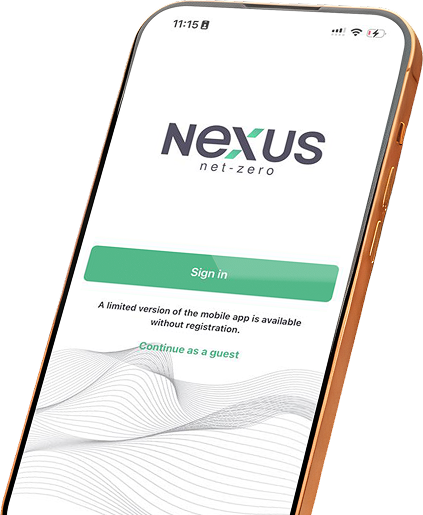
Sign in or Continue as a guest
Sign in for full features, or continue as a guest for limited access.
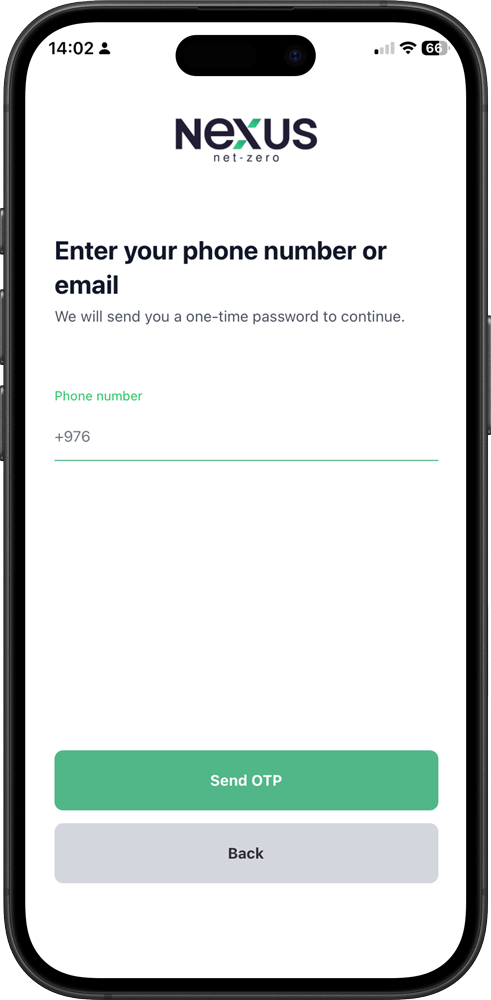
Verify your Email or Phone Number
Enter the one-time password (OTP) sent to your number.
Create 4-digit PIN
Use your PIN for quick and easy sign-in next time.
Frequently Asked Questions (FAQ)
What types of connectors are available?
Nexus Net-zero charging stations support several connector types including Type 2 for AC charging, CCS2 for DC fast charging, and CHAdeMO at some selected stations.
Where can I download the app?
You can download the app from the Google Play Store or Apple App Store by searching for “Nexus Net-zero”.
What if I don’t receive the OTP?
If you do not receive the OTP, you should first check whether your phone number is correct, ensure that your mobile network signal is stable, and then use the “Resend OTP” option to request a new code.
What is the minimum top-up amount?
The minimum top-up amount usually starts from around 5,000 to 10,000 MNT depending on the system configuration.
How do I start charging?
You can start charging by scanning the QR code on the charging station using the app, selecting the correct connector type, and pressing the “Start Charging” button.
How do I stop charging?
You can stop charging by pressing the “Stop Charging” button in the app or by using the stop function available on the charging station itself.
